

What Actually Changed in Mechanical Keyboards (2024→2026)
TL;DR
- Hall Effect (HE) switches replaced physical contacts with magnets. You can set exactly how deep a key needs to be pressed (0.1–4.0 mm per key). Rapid Trigger resets the key as soon as you lift — no fixed dead zone.
- TMR sensors arrived in early 2026. 10× the positional resolution of HE, 40× less power draw — finally making wireless magnetic keyboards viable.
- 8,000 Hz polling matters now — not because you feel 0.5 ms, but because magnetic switches removed the mechanical lag that used to make it irrelevant.
- What hasn't changed: magnetic switches are all linear (no tactile/clicky option), and a good mechanical board is still perfectly fine for typing and casual gaming.
- How to choose: competitive FPS at high rank → TMR or HE with Rapid Trigger. Everyone else → price, layout, and build quality still matter more than sensor specs.
Quick self-check
- You play ranked CS2/Valorant at Diamond+ and want the tightest input chain → read sections 1–3.
- You want a new keyboard but mostly type or play single-player games → skip to section 4 and 5.
- You already own an HE board and wonder if TMR is worth upgrading → read section 2.
1. The Switch Stopped Being Mechanical
A traditional Cherry MX switch registers a keypress by pushing two metal leaves together. Press down ~2.0 mm — contact. Release ~0.4 mm — contact breaks. Simple, reliable, and fundamentally limited: the actuation point is fixed by the switch's physical geometry.
FGG Editorial Note: This guide is prepared by FGG Editorial for players comparing gaming gear and settings. Recommendations reflect the information and product specifications available on the update date; test settings on your own setup.
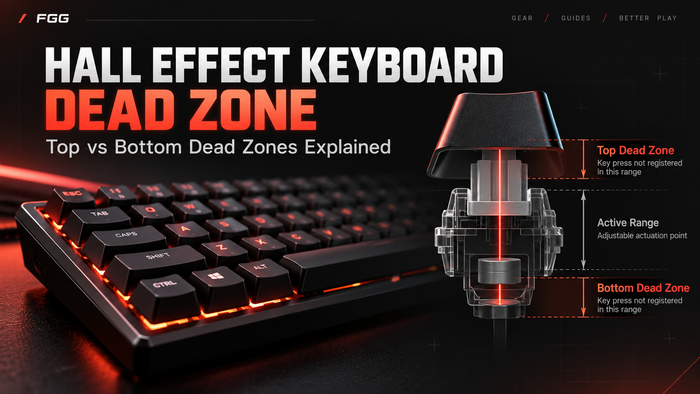
Hall Effect (magnetic) switches remove the metal contact entirely. A magnet in the switch stem moves past a sensor on the PCB. The sensor reads the magnet's exact position continuously — so the keyboard always knows how far each key is pressed, not just "on" or "off."
No physical contact means no debounce, no chatter, and a lifespan measured in hundreds of millions of presses. But the real shift is what software can now do with that continuous position data:
- Adjustable actuation (0.1–4.0 mm). Set WASD to fire at 0.3 mm for hair-trigger movement, keep everything else at 2.0 mm to avoid fat-finger mistakes.
- Rapid Trigger. The key resets the instant your finger starts lifting. Press again — it re-actuates immediately from wherever you are, without waiting to pass any fixed reset point. In a game like CS2 or Valorant, this means counter-strafing has virtually zero input dead zone. At Diamond+ rank, the difference is measurable — not placebo.
- Snap Tap / SOCD. Press A then D without releasing A? The board prioritizes the latest input. Valve banned it from official CS2 servers, which tells you how impactful it is.
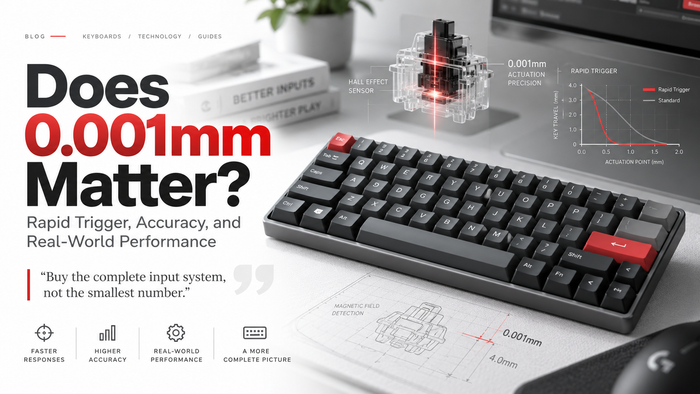
A quick note on precision numbers. HE sensors typically resolve key position to about 0.1 mm — roughly 40 detectable steps across a 4.0 mm travel. TMR sensors (see below) push this to about 0.01 mm — around 400 steps. When you see a spec like "0.001 mm" on a product page (including ours), that refers to Rapid Trigger software sensitivity — the smallest movement the firmware can act on to trigger a reset or re-actuation — not the sensor's raw physical resolution. Both numbers are real; they just describe different layers of the stack.

2. TMR Raised the Ceiling — but Keep It in Perspective
Tunnel Magnetoresistance (TMR) sensors entered the keyboard market in early 2026. They use a different physical principle — quantum tunneling through an insulating barrier — to read magnetic field changes at roughly 10× the resolution of a Hall sensor.
The numbers:
| Aspect | Hall Effect (typical) | TMR (typical) |
|---|---|---|
| Position resolution | ~0.1 mm | ~0.01 mm |
| Hysteresis | 0.05–0.15 mm | 0.01–0.03 mm |
| Power draw per sensor | ~4 mA | ~0.1 mA |
| Wireless viability | Limited (battery drain) | Multi-week battery life |
In practice: if you play ranked tactical shooters and set Rapid Trigger to 0.1 mm, a TMR board gives you cleaner, more consistent resets than an equivalent HE board. In strafing drills, competitive players can tell the difference.
But here's the honest part: if you're typing, playing single-player RPGs, or gaming below Diamond, the difference between a good HE board and a TMR board is invisible. The Wooting 80HE (Hall Effect) is still one of the best keyboards money can buy in 2026. Don't chase sensor specs at the expense of build quality, software, and layout.
3. 8,000 Hz Polling: Useful Now, Not Hype
A 1,000 Hz keyboard sends key state to the PC every 1 ms. An 8,000 Hz board sends it every 0.125 ms.
When mechanical switches still needed 5–15 ms of debounce, this didn't matter — the switch itself was the bottleneck. But magnetic switches have zero debounce. Combine an 8K HE/TMR board with a 240+ Hz monitor, and the entire input chain — from finger to pixel — tightens up. No single link in that chain moves the needle alone; they compound.
Is 8K polling alone going to rank you up? No. Does a system where every link is optimized feel smoother than one where they aren't? Yes.

4. What Didn't Change
Being direct about this builds trust — and helps you buy the right board instead of the most expensive one.
- All magnetic switches are linear. No tactile bump. No clicky option. The sensor needs smooth travel for accurate position tracking. If you love Cherry MX Browns or Blues, magnetic isn't for you (and that's fine).
- Casual and single-player games don't need Rapid Trigger. You're not counter-strafing in Baldur's Gate 3. A good mechanical keyboard at $50–80 is still a great product for most people.
- Price still matters. HE boards now start around $40 (Aula WIN60 HE). TMR starts around $90 (MonsGeek FUN60 Ultra). Traditional mechanical is still cheaper at every tier.
5. How to Choose in 2026
| Your use case | Recommendation |
|---|---|
| Ranked CS2 / Valorant (Diamond+) | TMR or HE with Rapid Trigger, wired, 8K polling |
| Competitive FPS, but budget-constrained | Wired HE board at $50–70 |
| Mixed gaming + typing | HE or mechanical — prioritize build quality, layout, and key feel |
| Typing / casual gaming only | Traditional mechanical (tactile/clicky options, better sound customization) |
| Wireless is non-negotiable | TMR (power efficiency makes it practical); or a good mechanical wireless board |

6. Where FGG Sits in 2026
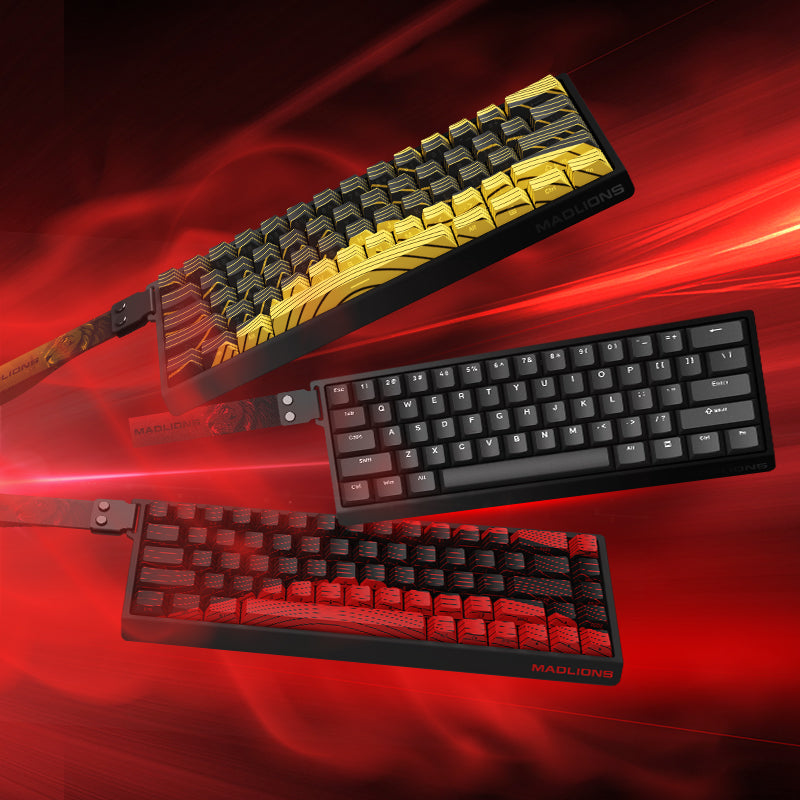
FGG’s current keyboard lineup sits directly in the magnetic switch category discussed above, with compact and larger layouts for different setups.
MAD60/68 V2 Hall Effect Magnetic Switch Gaming Keyboard: compact 60% / 68-key layout, 8K polling, 0.001 mm Rapid Trigger precision, hot-swappable switches, RGB lighting, USB-C wired connection, and Lime / White Stallion / Snowlight switch options.
MADLIONS TITAN 75 Turbo Hall Effect Keyboard: 75% layout, Hall Effect switches, 8K polling, 0.08 ms latency, 0.001 mm Rapid Trigger precision, 5-layer dampening, and per-key RGB.
These product details are based on the current FGG product pages. If a firmware update or restock changes a switch option, the product page should always be treated as the latest source of truth.
If you prefer a compact, FPS-first setup with more room for mouse movement, a 60% / 68-key Hall Effect keyboard is usually the better fit.
Explore a compact Hall Effect keyboard →Mad-60-v2
If you want one keyboard for both gaming and daily work, a 75% Hall Effect layout is easier to live with because it keeps the arrow keys and function row.
Explore a 75% Hall Effect keyboard →Titan-75-turbo-hall-effect-keyboard
Final Takeaway
The 2024–2026 shift is real, but it is narrower than the marketing suggests. Magnetic switches changed what a keypress can do — adjustable actuation, Rapid Trigger, SOCD — and that matters most in ranked tactical FPS. TMR pushes the sensor ceiling higher, but for most players, a well-built HE board is already more than enough.
The right question is not "HE or TMR?" It is "what do I actually play, and what layout do I actually need?" Answer that first, then pick the sensor tier that fits.
FAQ
Q: Is "0.001 mm precision" the sensor or the software?
A: Software (Rapid Trigger sensitivity). The HE sensor's physical resolution is ~0.1 mm. The 0.001 mm figure is the Rapid Trigger firmware threshold — the smallest movement the keyboard can act on. Both are real numbers measuring different things.
Q: Should I buy HE or TMR right now?
A: If you compete in ranked FPS at a high level and want the tightest possible Rapid Trigger, TMR. Otherwise, a good HE board like the TITAN 68 Turbo or Wooting 80HE gives you 95%+ of the experience for less money.
Q: Are magnetic keyboards bad for typing?
A: Not bad — just different. Linear switches feel smooth and consistent. Many people prefer them for both gaming and typing. But if you like tactile feedback or clicky sound, stick with mechanical.
Q: Is wireless HE/TMR fast enough for gaming?
A: Wired is still faster. The best wireless magnetic boards add a small latency penalty (2.4 GHz dongle: roughly 20–100% increase over wired). TMR makes battery life practical for wireless; HE boards tend to drain faster.
Q: Is Rapid Trigger cheating?
A: No. Rapid Trigger is a hardware feature that changes how the key resets — it does not automate inputs or bypass game rules. However, SOCD / Snap Tap has been banned in some official CS2 servers. Always check the rules of the specific game and tournament you play.
Q: What's the cheapest magnetic keyboard worth buying?
A: Aula WIN60 HE at ~$40 (HE, wired). For TMR: MonsGeek FUN60 Ultra at ~$90. For a middle ground with better build: TITAN 68 Turbo at sub-$70 (HE, gasket mount, 8K polling).
FGG Editorial Standard
FGG Editorial separates manufacturer-published specifications from measured end-to-end performance and does not treat general guidance as a guarantee of the same result for every player or system. FGG sells some products discussed in this article; this relationship does not change the criteria used in the guide. We review this article when relevant product specifications or guidance changes.