

256K scan rate describes an advertised internal scanning frequency of 256,000 operations or cycles per second. It is not 256K USB polling and does not, by itself, establish keypress-to-screen latency. Before comparing keyboards, check what the manufacturer counts: a sensor sample, an individual key scan, or a complete keyboard scan.
Editorial scope: FGG Editorial explains the timing arithmetic and input stages below using the linked manufacturer documentation. This is not a laboratory test of a 256K keyboard. FGG sells the keyboards linked later in this guide; no measured performance ranking is claimed.
What does 256K scan rate measure?
Scanning happens inside the keyboard, where its electronics read switch or sensor states. A Hall Effect keyboard uses magnetic sensing to track key travel, but a headline scan-rate figure does not explain the entire sensing and processing implementation.
If a documented scan cycle repeats at 256,000 Hz, its nominal period is 1,000 ÷ 256,000 = 0.00390625 ms, or about 3.91 microseconds. This is the reciprocal of a frequency, not a measurement of how long a physical press takes to appear in a game.
Do not assume the figure applies to every key simultaneously. Per-key sampling, an aggregate sample count, and a full-board scan are different quantities. Without the exact definition and operating mode, two advertised scan rates may not be directly comparable.
Scan rate vs USB polling vs latency
| Measurement | What it describes | What it does not prove |
|---|---|---|
| Internal scan rate (Hz) | How often a defined sensing or scan operation repeats | Full-board refresh speed unless that scope is documented |
| USB polling rate (Hz) | Nominal frequency of reports to the host | That every report contains newly processed input |
| Rapid Trigger distance (mm) | Configured movement threshold for dynamic release or reactivation | Measured sensor accuracy or timing |
| End-to-end latency (ms) | Elapsed time between stated start and end events in a test | A comparable result when test methods or endpoints differ |
At 8,000 Hz, the nominal USB report interval is 1,000 ÷ 8,000 = 0.125 ms. That interval excludes the rest of the input and display pipeline. Wooting's explanation of true polling rate discusses why scanning, processing, and reporting must be considered together.
Dividing 256,000 by 8,000 gives 32. It would describe 32 scan cycles per report interval only if both figures used compatible definitions and applied in the same operating mode. It does not establish that a particular keyboard refreshes every key 32 times before every USB report.
Does Rapid Trigger require 256K scanning?
No universal 256K requirement is established by the sources used here. Rapid Trigger changes an individual key's activation and release behavior according to movement, instead of relying only on fixed reset points. See Wooting's Rapid Trigger explanation for the operating principle.
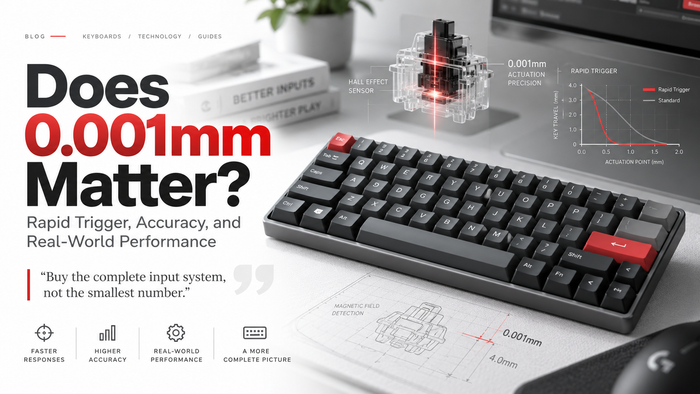
The sensor, firmware, calibration, configured movement thresholds, and processing schedule all matter. A quoted adjustment increment such as 0.001 mm is a distance setting; it cannot be converted into sampling frequency, guaranteed accuracy, or total latency. Check each model's documented range rather than assuming every magnetic keyboard offers the same controls.
For practical starting ranges and a one-setting-at-a-time tuning process, use our Rapid Trigger settings guide for VALORANT and CS2. A stable setting that follows your intended finger movement is more useful than selecting every minimum value.
Will a higher scan rate feel faster?
A larger headline number cannot answer that on its own. Under otherwise identical conditions, more frequent sensing can reduce the wait until the next sample. How much that affects a usable input depends on what is sampled and what happens afterward.
Key travel, threshold detection, firmware processing, USB delivery, game input handling, frame timing, rendering, and display response remain separate stages. Wooting's keyboard-speed explanation is useful background on this pipeline; it is not a current performance test of FGG products.
We have not performed a controlled comparison showing that a 256K figure improves aim, prevents dropped inputs, or wins a duel. Assess a keyboard using clearly defined measurements and your own stability checks, alongside layout, switch feel, software support, and price.
How to check a scan-rate claim before buying
- Identify the exact model and configuration. Similar product names can cover different hardware or firmware.
- Ask what is counted. Look for per-key, full-board, or aggregate scope and any mode restrictions.
- Separate the figures. Record scan frequency, USB polling, adjustment distance, and measured latency in their own units.
- Read the test method. For latency, check the start event, end event, settings, and whether the result is manufacturer-published or independently measured.
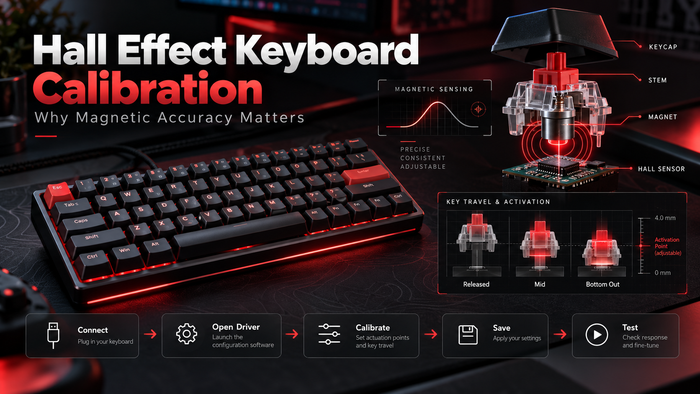
- Check the actual software controls. Confirm the supported actuation and Rapid Trigger settings for that model. Do not infer them from scan rate.
For layout context, the MAD60/68 V2 product page covers compact configurations, while the TITAN 75 Turbo product page covers a 75% option with a function row. These links are product references, not evidence of a measured speed advantage. Published scan figures for these models have differed between page sections; this guide therefore does not assign them a verified scan-rate value.
Common questions
Is 256K scan rate the same as 256K polling?
No. Internal sensing and USB reporting are different stages. A scan-rate label does not specify how often the PC receives reports.
Does 8K polling mean 0.125 ms total latency?
No. It means a nominal 0.125 ms interval between reports. Total latency needs a defined measurement covering the relevant input and output stages. Our 1K, 4K, and 8K mouse polling guide explains the same reporting-interval distinction for mice; mouse polling and keyboard scanning should not be treated as the same specification.
Does 8K require a USB 3.0 port?
Do not use the USB 3.0 label as a universal requirement. Follow the keyboard manufacturer's connection instructions and verify that the device and host support the selected reporting mode. Internal scan rate itself is not a USB port-speed specification.