

Rapid Trigger may be the best-known advanced feature on modern magnetic gaming keyboards, but open the configuration software for a newer analog or Hall Effect keyboard and you may see a much longer list: DKS, SOCD, Mod-Tap, TGL, Rappy Snappy, Snap Tap and more.
Those names can make modern keyboards look more complicated than they really are. The important thing to understand is that these features do not all solve the same problem. Some use key travel to change what a key does. Some decide what happens when two inputs conflict. Others let one physical key behave differently when tapped, held or toggled.
Quick Answer: What Do DKS, SOCD, Mod-Tap and TGL Mean?
| Feature | Meaning | What It Changes | Simple Example |
|---|---|---|---|
| DKS | Dynamic Keystroke | Uses different stages of one key's travel to trigger different actions. | Press W shallowly to move; press deeper to add Sprint. |
| SOCD | Simultaneous Opposing Cardinal Directions | Determines how conflicting directional inputs are resolved. | A and D are both active; firmware decides what should be reported. |
| Mod-Tap | Tap/Hold dual-function behavior | One action is assigned to a tap and another to a hold. | Tap a key for Escape; hold it for Control. |
| TGL | Common shorthand for Toggle / Toggle Key | Changes an assigned function between states instead of requiring a continuous physical hold. | Press once to turn an assigned state on; press again to turn it off. |
Are These Features Exclusive to Hall Effect Keyboards?
No. Hall Effect keyboards are closely associated with advanced gaming features because their magnetic sensors can measure key position rather than only reporting a traditional on/off switch closure. That makes position-dependent features such as adjustable actuation, Rapid Trigger and depth-based Dynamic Keystroke especially natural.
Traditional switch
KEY UP → fixed actuation point → KEY DOWN

Position-aware switch
Key position → firmware interprets travel depth
Hall Effect is not the only technology capable of position-aware input. TMR magnetic sensing and analog optical switch systems can also provide detailed positional information when the keyboard hardware and firmware are designed for it.
Sensor technology determines what information a keyboard can measure.
Firmware determines what the keyboard does with that information.
What Is DKS on a Keyboard?
DKS stands for Dynamic Keystroke. It allows multiple actions to be assigned to different stages of one physical keystroke.
Wooting's published DKS documentation, for example, describes four positions within a keystroke that can be associated with different actions: initial actuation, deeper travel, upward movement, and the upper release point.
ONE POSITION-AWARE KEY

Press ↓
Upper stage → Action A
Deeper stage → Action B

Release ↑
Return past deeper stage → Action C
Return past upper stage → Action D
A Realistic DKS Example
A useful example is combining normal movement and sprint.
- Shallow press → W is active.
- Press deeper → W remains active and Shift is added.
- Move upward past the deeper stage → Shift is released.
- Release farther → W is released.
In a game where W controls forward movement and Shift controls sprint, one physical key can therefore represent different movement states at different depths.
Is DKS Just a Macro?
Not exactly. A conventional macro usually executes a predetermined action or sequence after a trigger. DKS reacts to stages of physical key movement. The player is still controlling how far the key travels.
Check game rules: A travel-based binding can still map one physical input to multiple game actions. Its name or implementation does not establish permission to use it in a competitive match.

What Is SOCD?
SOCD stands for Simultaneous Opposing Cardinal Directions. It describes a situation where opposing directional inputs are active at the same time.
A = LEFT     D = RIGHT

Both active → opposing inputs overlap
Firmware resolution → selected output
SOCD is not one specific algorithm. It describes the input conflict. The keyboard or controller then applies a resolution rule.
Common SOCD Resolution Examples
| Mode | Behavior |
|---|---|
| Last Input Priority | If both selected inputs are active, the one activated most recently receives priority. |
| Absolute Priority | One selected input always receives priority when the two inputs conflict. |
| Neutral | If both opposing inputs are active, neither direction is reported. |
Snap Tap, Snappy Tappy and Rappy Snappy Are Not the Same Thing
Razer Snap Tap
Razer announced Snap Tap Mode for the Huntsman V3 Pro line on July 9, 2024. Razer describes it as prioritizing the latest input between two selected keys without requiring the previous key to be released first.
In simple terms: latest input wins.
Wooting Snappy Tappy
Wooting documented Snappy Tappy in the Wootility 4.7.1 beta desktop release notes dated August 15, 2024; these features had already been available in the web beta.
Wooting describes Snappy Tappy as its SOCD implementation and documents modes including Last Input Priority, Absolute Priority and Neutral.
Wooting Rappy Snappy
Rappy Snappy works differently. Wooting's release notes describe it as prioritizing the deeper of two selected keys. With both keys fully pressed, both can be active. This differs from deciding solely by press order.
RAPPY SNAPPY — simplified example

A depth: 1.4 mm
D depth: 2.2 mm

D is deeper → D receives priority

What Does Valve Say About SOCD-Style Input Automation in CS2?
On August 19, 2024, Valve updated Counter-Strike 2's input policy. Valve stated that certain forms of movement and shooting input automation, including hardware-assisted counter-strafing, would be detected on Valve official servers and could result in a player being kicked from a match.
Official reference: Valve — Counter-Strike 2: Side-stepping Skill .
What About VALORANT, Overwatch 2, Apex Legends and Other Games?
Valve's CS2 policy should not automatically be applied to every other competitive title. Different publishers, anti-cheat systems, tournament organizers and leagues can define automation differently.
Hardware capability and competitive legality are separate questions.
What Is Mod-Tap?
Mod-Tap lets one physical key behave differently when tapped and when held.
ONE KEY

Quick tap → Escape
Hold → Control
For example:
- Tap → Escape
- Hold → Control
This is a well-established concept in programmable keyboard firmware ecosystems such as QMK .
What Is TGL or Toggle Key?
On many keyboard configuration interfaces, TGL is used as shorthand for Toggle or Toggle Key behavior.
NORMAL HOLD
Finger down → ON
Finger up → OFF

TOGGLE EXAMPLE
Press once → ON
Release finger → stays ON
Press again → OFF
A MADLIONS Example
The FGG product page for the MADLIONS MAD68 HE Hall Effect Keyboard lists TGL alongside advanced functions such as SOCD, DKS, Mod-Tap and macros.
This is a model-specific feature listing; it does not mean every MADLIONS keyboard implements the same Toggle behavior. Exact software behavior can still depend on model configuration and firmware.

DKS vs Mod-Tap vs TGL: The Easiest Way to Remember Them
| Feature | The Keyboard Asks... | Primary Trigger |
|---|---|---|
| DKS | How far is the key pressed, and is it moving down or up? | Key position / travel stage |
| Mod-Tap | Was the key tapped or held? | Tap / hold behavior |
| TGL | Is the assigned toggle state currently on or off? | Stored toggle state |
Where Does Rapid Trigger Fit?
Rapid Trigger solves a different problem. Instead of assigning additional actions, Rapid Trigger changes how activation and reset respond to physical key movement.
RAPID TRIGGER — simplified

Move down → ACTIVATE
Move up → RESET
Move down again → ACTIVATE AGAIN
- Rapid Trigger changes activation/reset behavior.
- DKS changes what different travel stages can do.
- SOCD changes how conflicting inputs are resolved.
- Mod-Tap changes tap versus hold output.
- TGL changes persistent state behavior.
For the full explanation, read our Rapid Trigger keyboard guide .

Do These Features Make a Keyboard Faster?
Not automatically.
DKS, SOCD, Mod-Tap and TGL describe how firmware interprets an input.
Polling rate, internal scan behavior and processing latency describe different stages of the keyboard's input pipeline.
Physical movement
↓
Sensor / switch state
↓
Keyboard scan + firmware processing
↓
USB report / polling
↓
Operating system + game
- 8K polling is not the same thing as DKS.
- 256K scan rate is not the same thing as SOCD.
- 0.001 mm adjustment terminology is not the same thing as 0.001 ms latency.
For more detail, read 256K Scan Rate Explained .
Do You Actually Need DKS, SOCD, Mod-Tap or TGL?
Probably not all of them. A longer software feature list does not automatically create a better gaming experience. The useful feature is the one that solves a real input problem for you.
For Competitive FPS Players
Adjustable actuation and Rapid Trigger are generally easier to understand and tune than complicated multi-action bindings. SOCD-style input priority deserves particular attention because competitive rules can restrict certain forms of input automation.
For Compact Keyboard Users
Mod-Tap and other dual-purpose key behaviors can restore functionality without increasing the keyboard's physical footprint.
For Multi-Stage Controls
DKS is particularly interesting because it makes direct use of positional information from analog or magnetic sensing.
For Everyday Work
Sometimes physical layout matters more than advanced firmware. A 75% keyboard keeps dedicated arrow keys, the function row and more navigation controls. A compact 60% board saves desk space but relies more heavily on layers and secondary functions.
How Do MADLIONS Keyboards Fit Into This?
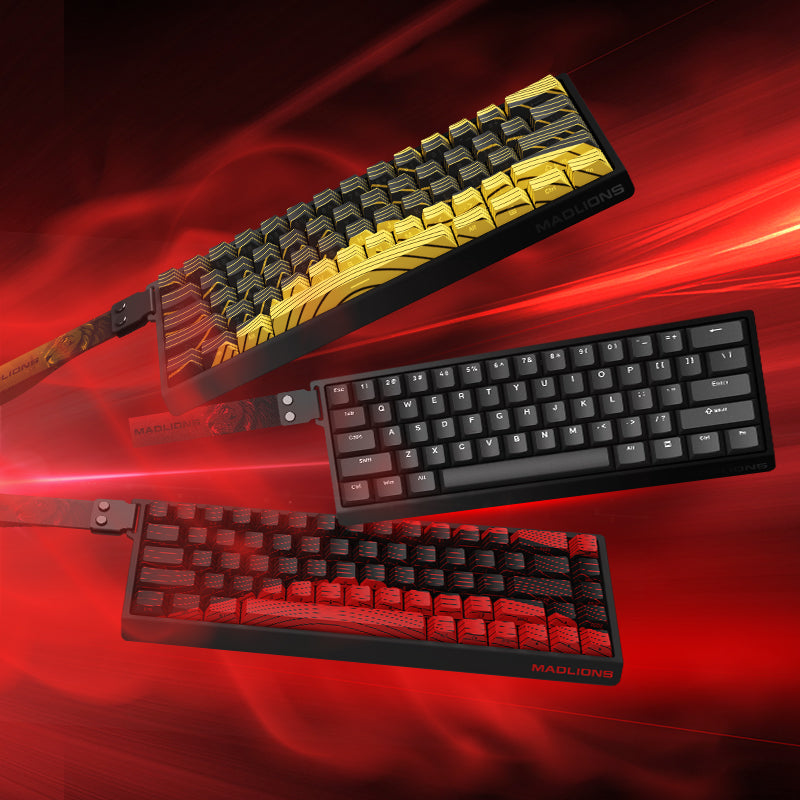
MADLIONS products provide a useful example of why advanced feature support should be checked at the model level rather than assumed from the words “Hall Effect.”
MADLIONS MAD68 HE — A Documented Advanced-Feature Example
The FGG product page for the MADLIONS MAD68 HE Hall Effect Keyboard lists advanced functions including SOCD, DKS, Mod-Tap, TGL and macros.
That makes MAD68 HE a useful real-world example of how a magnetic keyboard can combine position-aware input with firmware-level key behavior.
MAD60/68 V2 — Compact Current-Generation Option
The current MAD60/68 V2 focuses on compact 60% and 68-key layouts, Hall Effect input, 8K polling, adjustable Rapid Trigger behavior, and software/Web Driver configuration.
TITAN 75 Turbo — More Dedicated Physical Controls
The TITAN 75 Turbo takes a different approach: its 75% layout retains the function row, arrow keys and additional dedicated controls while combining Hall Effect input with 8K polling and performance-focused Rapid Trigger specifications.
Check Your Model's Current Features
MADLIONS software and firmware options vary by model. Use FGG HUB and model-specific documentation to confirm the functions currently available for your keyboard.
OPEN FGG HUB PRODUCT MANUALSAdvanced Keyboard Features — Quick Decision Guide
| If You Want... | Look At... |
|---|---|
| Dynamic activation and reset as a key moves | Rapid Trigger |
| Different actions at different travel stages | DKS |
| Control over conflicting directional inputs | SOCD behavior |
| Latest-input priority between selected keys | Last Input Priority / Snap Tap-style behavior |
| Priority based on which selected key is pressed farther | Depth-comparison behavior such as Rappy Snappy |
| One key to behave differently when tapped and held | Mod-Tap |
| An assigned state that can be switched on and off | TGL / Toggle behavior |
| More dedicated physical controls | A larger keyboard layout |
Frequently Asked Questions
What does DKS mean on a keyboard?
DKS means Dynamic Keystroke. On a position-aware keyboard, it allows different stages of one physical keypress and release to trigger different assigned actions.
What is the difference between SOCD, Snap Tap and Rappy Snappy?
SOCD is the broader problem of handling opposing inputs that are active simultaneously. Razer Snap Tap is a branded latest-input-priority implementation. Wooting Snappy Tappy is its configurable SOCD system, while Wooting Rappy Snappy compares the physical press depth of two selected keys.
Is SOCD allowed in CS2?
Valve's August 19, 2024 Counter-Strike 2 update stated that certain movement and shooting input automation, including hardware-assisted counter-strafing, would be detected on Valve official servers and could cause a player to be kicked. Players should check the latest official policy before using advanced input-priority behavior.
Does Mod-Tap require a Hall Effect keyboard?
No. Mod-Tap is fundamentally a firmware behavior that distinguishes between a tap and a hold.
Is DKS the same as Rapid Trigger?
No. DKS assigns different behavior to stages of key travel. Rapid Trigger changes activation and reset behavior based on key movement.
Does every Hall Effect keyboard support DKS, SOCD, Mod-Tap and TGL?
No. Available functions depend on the controller, firmware, driver, model and firmware version. Always check current model-specific documentation.
Final Takeaway
Advanced keyboard software becomes much easier to understand once you stop treating every acronym as another speed specification.
- Rapid Trigger changes activation and reset behavior.
- DKS uses different stages of key travel for different actions.
- SOCD describes how conflicting directional inputs are handled.
- Snap Tap is Razer's branded latest-input-priority implementation.
- Snappy Tappy is Wooting's configurable SOCD implementation.
- Rappy Snappy compares the physical depth of two selected keys.
- Mod-Tap separates tap and hold behavior.
- TGL provides toggle-style state behavior.
Choose a feature by asking: “What input problem am I trying to solve, how does this feature change the output, and is that behavior appropriate for the game I play?”
FGG Editorial Standard: The FGG Editorial team prepared this guide by checking the cited manufacturer and firmware documentation against the input behaviors described here. Definitions, model-specific product claims and game-policy statements are identified separately. The diagrams and planned animations illustrate input logic; they do not measure latency or demonstrate a competitive advantage.
Source review: October 8, 2026. The CS2 section cites Valve's dated policy announcement. Firmware options and event rules may change; check the current requirements for your keyboard, game and tournament before enabling a profile. Contact support@f.gg with corrections or model-specific questions.
Official Sources & Further Reading
- FGG — MAD68 HE product page and advanced-function listing
- Valve — Counter-Strike 2: Side-stepping Skill, August 19, 2024
- Razer — Introducing Snap Tap Mode, July 9, 2024
- Wooting — Wootility 4.7.1 beta: Rappy Snappy and Snappy Tappy
- Wooting — How to Use DKS
- QMK Firmware — Mod-Tap Documentation
Editorial disclosure: FGG sells some products linked in this article. Technical explanations are separated from manufacturer-published product claims. Readers should verify current firmware support and current game or tournament rules before relying on a specific advanced input feature.