

Consistency, adaptation and execution matter. Your gaming setup should help you focus on the game, not fight your equipment.
Worlds 2026 Final · November 14, 2026 · Finals MVP: Knight
Editorial scope · Reviewed 16 November 2026. FGG sells gaming peripherals. This guide reviews published sources and offers setup suggestions; it is not a hands-on League of Legends benchmark or an independent product review. FGG is not endorsed by Riot Games, BLG or Gen.G, and no team or player use of FGG equipment is claimed. The cover is illustrative artwork, not evidence of equipment used at the final.
The 2026 League of Legends World Championship delivered another memorable international final. Bilibili Gaming (BLG) defeated Gen.G 3–1 to claim the Summoner's Cup, with mid laner Zhuo "Knight" Ding earning the Finals MVP award.
The result was more than a championship victory. BLG's performance highlighted the importance of adaptation, coordination, decision-making and consistent execution across a high-pressure series.
For everyday League of Legends players, these qualities raise an interesting question: how much does your gaming setup contribute to consistent gameplay?
Your keyboard will not make better decisions for you, and no peripheral can replace game knowledge or practice. However, a comfortable keyboard layout, reliable key registration and familiar keybinds can help create a more consistent environment for executing your actions.
Worlds 2026 context, point-and-click and WASD controls, Hall Effect settings, layout trade-offs and a practical testing routine.
Quick Answer: What Makes a Good League of Legends Gaming Setup?
A good League of Legends setup should prioritize:
- Comfortable access to champion abilities and summoner spells.
- Consistent key registration during repeated inputs.
- A keyboard layout that matches your preferred control scheme.
- A mouse that feels comfortable during long sessions.
- A stable mousepad surface for predictable cursor movement.
- Settings that remain comfortable and reliable over extended play.
You do not necessarily need the most expensive keyboard or the smallest Rapid Trigger adjustment available. The best setup is one that supports your natural playing style without introducing unnecessary distractions.
Jump to SectionWhat Can We Learn from the Worlds 2026 Final?
BLG's 3–1 victory over Gen.G demonstrated how important adaptation and execution are in a best-of-five series.
Gen.G took the opening game, but BLG responded by winning the next three games. Knight's overall performance earned him Finals MVP, while the team demonstrated strong coordination throughout the championship run.
Consistency Matters More Than One Perfect Play
A successful teamfight is important, but a full series requires repeated good decisions. The same principle applies to ranked games.
Landing one impressive ability combination does not automatically make you a consistent player. You need to execute familiar actions repeatedly, including:
- Activating abilities at the right moment.
- Using summoner spells without hesitation.
- Activating items when necessary.
- Moving and repositioning during teamfights.
- Maintaining awareness of your surroundings.
A comfortable input setup helps make these actions feel familiar rather than forcing you to think about where every key is.
Adaptation Is Part of Competitive Performance
Champions, team compositions, match situations and player preferences all change. Your setup should be adaptable too.
A player who primarily plays one champion may prefer a different keybind arrangement from someone who regularly switches between multiple roles and champions.
Rather than copying a professional player's settings, build a configuration around your own habits.
Equipment Supports Execution, Not Game Knowledge
It is important to separate hardware performance from player skill. A more responsive keyboard cannot teach wave management, improve your map awareness or make the correct teamfight decision.
Those abilities come from practice and understanding the game. Good equipment simply provides a consistent input environment in which you can develop those skills.
Traditional Click-to-Move vs. WASD: Which Keyboard Layout Do You Need?
League of Legends has traditionally used a point-and-click movement system. Riot has also introduced WASD directional movement, which was expanded to Ranked play in Patch 26.9.
Both control schemes offer different ways to interact with the game, and your keyboard preferences may depend on which one you use.
The following graphics are AI-assisted editorial illustrations based on FGG-supplied product assets, not gameplay captures, official interface screenshots or measured tests.

Traditional Point-and-Click Controls
Traditional League players use their mouse for champion movement and targeting, while the keyboard handles abilities, summoner spells, items and additional commands.
Common keybinds include:
- Q, W, E and R for champion abilities.
- D and F for summoner spells.
- Number-row keys for item and trinket actions.
- Additional keys for camera, targeting and interface functions.
These are familiar examples, not mandatory bindings. League allows players to customize their controls.
For this control scheme, the most important keyboard considerations are comfortable access to frequently used keys and a layout that does not interfere with your mouse positioning.
WASD Controls
Keep the two schemes separate: Q/W/E/R and D/F below are familiar point-and-click examples. WASD uses W for movement, so do not copy that traditional ability mapping into a WASD profile. Check the game’s current bindings, casting and interaction options and any champion overrides before testing.
WASD introduces another layer of keyboard interaction. Instead of relying entirely on mouse clicks for movement, players use directional keyboard inputs.
This changes how your left hand interacts with the keyboard. Movement keys now share space with ability inputs and other commands, making comfortable key positioning especially important.
Consider:
- Whether movement keys feel natural under your fingers.
- Whether frequently used abilities are easy to reach.
- Whether your keybinds conflict with other actions.
- Whether your keyboard provides enough physical space for your preferred arrangement.
Riot has also introduced additional keybinding customization and champion-specific settings.
Read Riot's WASD Ranked Release announcement and Patch 26.9 Notes for the official control details.
Which Control Scheme Should You Choose?
| Player Preference | What to Consider |
|---|---|
| Traditional LoL player | Comfortable ability and item key access |
| WASD player | Movement and ability key spacing |
| Multi-champion player | Flexible keybind customization |
| Casual and competitive player | Comfortable controls for extended sessions |
Try both control schemes where appropriate and evaluate which one feels more natural. Do not switch to WASD simply because it is newer, or abandon traditional controls because another player prefers them.
Does a Hall Effect Keyboard Make Sense for League of Legends?
Hall Effect keyboards use magnetic sensing to detect key movement rather than relying on conventional metal-contact actuation.
This technology enables adjustable actuation and, on supported keyboards, Rapid Trigger.
These features are frequently discussed in competitive FPS games, but they can also be relevant to players who prefer customizable keyboard input.
Adjustable Actuation
Adjustable actuation allows players to change how far a key needs to travel before an input registers.
For a League player, this means you can experiment with how your ability keys respond. Some players prefer a relatively light activation point, while others want more deliberate keypresses to avoid accidental inputs.
The important thing is to find a setting that suits your actual typing and gaming habits.
Rapid Trigger
Rapid Trigger uses changes in key travel to determine release and re-activation rather than relying only on a fixed reset position. Initial actuation, RT release/re-press distances and dead zones are distinct settings; the available controls depend on the keyboard and firmware.
This can be useful for players who prefer dynamic key activation and release behavior.
However, League of Legends is not Counter-Strike. A shorter reset distance does not reduce an ability's cooldown, bypass game restrictions or automatically improve your champion mechanics.
For most MOBA players, a comfortable configuration and consistent execution matter more than chasing the smallest available adjustment value.
Is 0.001 mm Always Better?
No.
A displayed 0.001 mm adjustment step describes a software setting increment when supported. It does not establish physical sensing accuracy, repeatability, noise tolerance or end-to-end game latency. Those require separate measurements under stated conditions.
An excessively sensitive configuration can cause unintended inputs. Start with a comfortable setting, test it in a Practice Tool session, and make gradual adjustments.
Rapid Trigger is a configuration option, not a guaranteed performance upgrade. Stable and predictable inputs are more useful than settings that cause accidental activations.
Choose a layout around the keys you actually use
Start with the actions you need to reach while keeping your mouse in a comfortable position. A smaller keyboard creates desk room; a larger layout can make function and navigation keys easier to reach. Neither changes champion cooldowns or makes a control scheme inherently better.
| Layout | Useful when | Check before choosing |
|---|---|---|
| 60% | You want a small keyboard footprint and more space beside it. | Function and navigation keys often use an Fn layer; check your shortcuts. |
| 68-key compact | You want a compact board with dedicated arrow keys. | Check the exact navigation keys and layer arrangement on the selected model. |
| 75% | You use the function row, arrows and desktop shortcuts regularly. | Allow more desk width and check mouse clearance. |

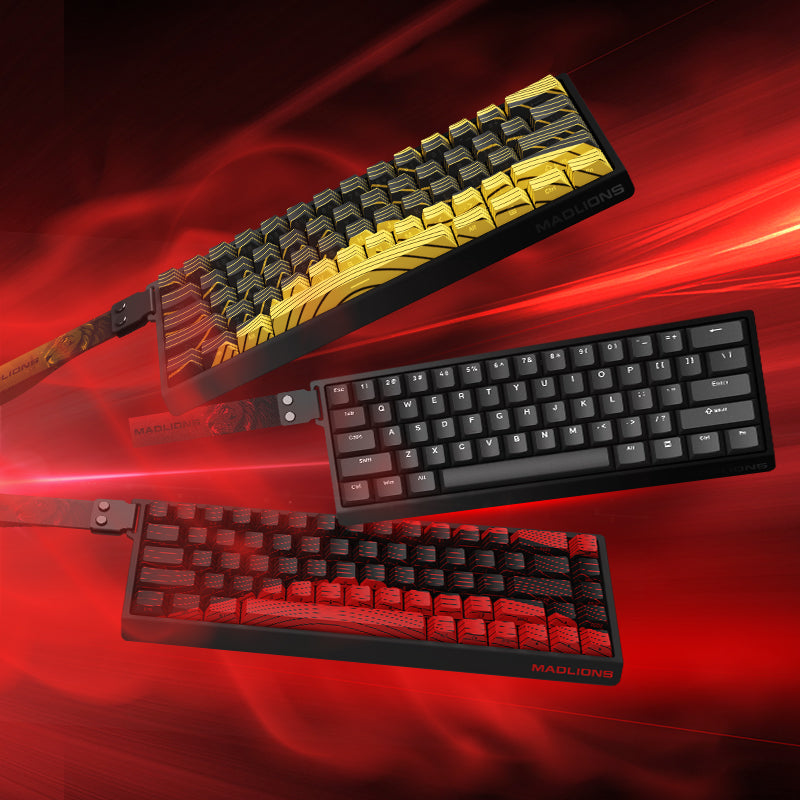
For a concrete layout comparison, the TITAN 75 Turbo is a 75% option, while MAD60/68 V2 offers 60% and 68-key alternatives. Use their current layout and configuration details to compare key access, rather than treating a published latency or adjustment figure as proof of a League of Legends advantage.
Give your mouse and camera controls enough room
For point-and-click controls, movement and targeting share a great deal of mouse work. WASD changes movement input, but aiming, selecting targets and managing the camera still need attention. Check mouse shape, button reach and sensitivity before replacing hardware.
- Keep enough clear surface for normal aiming and camera movement without reaching the pad edge.
- Check that the keyboard position lets your shoulder and wrist rest comfortably.
- Use a clean, stable surface and test the same sensitivity before comparing two mice or pads.
- Change mouse sensitivity separately from keybinds and keyboard actuation so you can identify what changed.
A larger mousepad or a higher polling rate is not automatically an improvement. Choose a setup you can control predictably without straining to reach it.
How to Build a More Consistent League of Legends Setup
You do not need to change every setting at once. Start with a few practical adjustments.
Step 1: Review Your Keybinds
Open the in-game settings and check your ability, summoner spell, item and movement bindings. Make sure frequently used actions are comfortable to reach.
If you play multiple champions, consider whether different keybind profiles would help.
Step 2: Choose a Comfortable Actuation Setting
Save your current profile first and follow the manufacturer’s model-specific calibration procedure if calibration is required. For a deliberate starting point on a model that supports it, try 2.0 mm actuation with Rapid Trigger off. This is an unmeasured editorial trial setting, not Riot’s recommendation or a tested optimum. Keep your existing setup if it already works well.
Test one change at a time. If light finger pressure activates a key unintentionally, increase the actuation distance. For unwanted RT releases or re-triggers, increase the relevant movement threshold or disable RT. If you try RT later, adjust it separately from actuation and dead zones, using only supported ranges.
Step 3: Test Your Control Scheme
Try your normal control scheme in the Practice Tool. If you are experimenting with WASD, test movement, ability access and camera control separately.
Do not judge a new configuration after only a few minutes.
Step 4: Check Your Mouse Position
Make sure your mouse has enough usable room and that your keyboard does not force your arm into an uncomfortable position.
A setup that feels natural during a short session should also remain comfortable during longer games.
Step 5: Change One Variable at a Time
Avoid changing actuation, keybinds, mouse sensitivity and control schemes simultaneously. Otherwise, it becomes difficult to understand which adjustment actually helped.
Give yourself time to adapt before making another change.
A repeatable Practice Tool check
| Check | What to do | Reason to revert or adjust |
|---|---|---|
| Ability and spell access | Use familiar abilities, summoner spells and active items with your normal hand position. | Accidental casts, awkward reaches or missed intended presses. |
| Movement and camera | Test your chosen movement scheme, targeting, camera controls and relevant champion overrides separately. | Binding conflicts or losing easy access to frequently used actions. |
| Profile comparison | Repeat the same short routine after changing just one setting; note mistakes and comfort. | No clear benefit or less predictable inputs: restore the saved profile. |
This is a reader testing procedure, not a record of tests conducted by FGG. It does not measure hardware latency, network ping or ranked performance.

What Your Gaming Setup Cannot Replace
The 2026 Worlds final is a good reminder that competitive League of Legends is a complex team game.
A keyboard cannot replace:
- Map awareness.
- Wave management.
- Champion knowledge.
- Objective timing.
- Team communication.
- Decision-making under pressure.
- Practice and experience.
A responsive input device can provide a consistent environment, but it cannot make strategic decisions for you.
The goal is not to buy equipment that promises instant improvement. It is to build a setup that lets you focus on the game rather than fighting with your equipment.
League of Legends Gaming Setup FAQ
Is a Hall Effect keyboard good for League of Legends?
It can be. Hall Effect keyboards offer adjustable actuation and, on supported models, Rapid Trigger. These features provide customization, although they are not essential for playing League of Legends.
Is Rapid Trigger useful for MOBA games?
It can change how keys activate and reset, but its practical value depends on your control scheme and personal preferences. It does not shorten champion ability cooldowns or guarantee better performance.
Is a 60% or 75% keyboard better for LoL?
A 60% keyboard offers a smaller footprint, while a 75% layout retains more dedicated keys. The right option depends on your preferred keybinds and everyday usage.
Does League of Legends support WASD controls in Ranked?
Yes. Riot introduced WASD support for Ranked play in Patch 26.9. Players can still use the traditional point-and-click control scheme.
What polling rate should I choose for League of Legends?
There is no universal polling rate requirement for LoL. Consider compatibility, stability and overall keyboard quality instead of assuming a higher polling rate automatically improves gameplay.
Can a better gaming keyboard improve my rank?
A comfortable and consistent keyboard may help you execute familiar inputs, but ranking up still depends on game knowledge, decision-making, teamwork and practice.
Related FGG Guides
Sources and How This Guide Was Prepared
Prepared through a review of the sources below on 16 November 2026. Match context, official control documentation, manufacturer descriptions and editorial setup suggestions are kept separate. No hands-on device comparison or independent latency testing was performed for this guide.
- Esports.gg final coverage — secondary reporting for BLG’s 3–1 result and Knight’s Finals MVP. The November 14 date refers to New York local time; the final fell on November 15 in Beijing.
- Official LoL Esports schedule — event schedule context, rather than evidence of hardware performance or team equipment.
- Riot’s WASD ranked-release developer post and Patch 26.9 notes — official sources for the ranked rollout and control customization. Historical rollout documentation is not a screenshot of the current client.
- The two linked FGG keyboard pages in the layout section document their available layouts and configurations. Manufacturer specifications are not independent game benchmarks.
FGG sells the keyboard examples discussed here. Layout recommendations reflect editorial use cases, not measured evidence that one model improves League of Legends results. Check the current model configuration and firmware instructions before applying settings.
League of Legends, Worlds, Riot Games and related names are trademarks of their respective owners. FGG is not affiliated with or endorsed by Riot Games, BLG or Gen.G. No claim is made that the teams or players used FGG products.
Corrections: If a source, control option or product detail changes, contact support@f.gg with the section and relevant client or firmware version. About FGG.